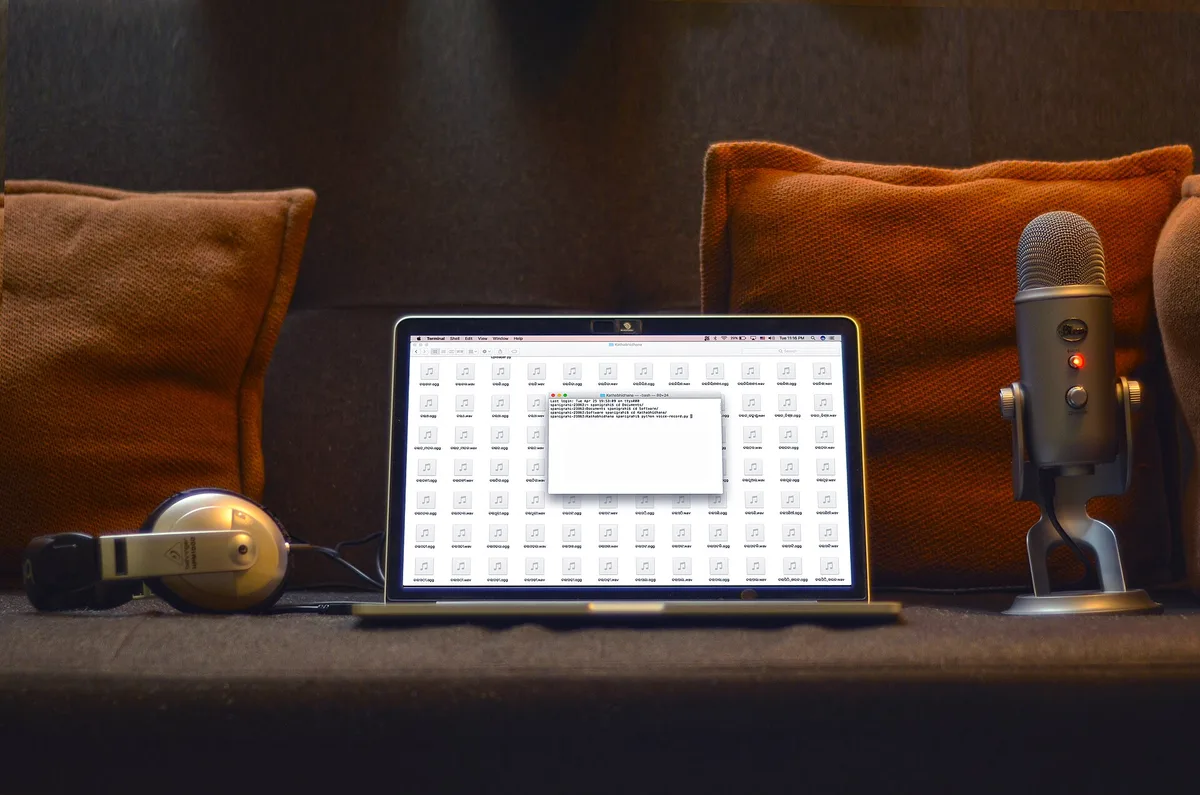
A workable home studio setup does not start with gear. It starts with the room, the microphone, and the discipline to buy one thing at a time. Most beginners invert that order, and the expensive interface they charged to a credit card cannot fix a hallway echo.
The good news: the gap between a cheap setup and a good one is smaller than the industry's gear marketing suggests. Professional studios earn their rates through acoustics, staff and redundancy. A solo creator needs a clean signal and a quiet room, and both can be had without a five-figure spend — though this guide deliberately avoids price tags, because gear prices move and the right buy at your budget matters more than any single number.
It helps to see how working creators actually use their spaces. Great Falls Studios, the Virginia artist collective that runs an annual open studio tour, describes its members working out of remodeled barns, converted garages and group studios — proof that a serious creative space is a matter of treatment and habit, not square footage or a fancy address.
What should you buy first for a home studio setup?
Buy in this order: the room, the microphone, the interface, then everything else. The room matters most because no purchase later in the chain can remove an echo that was recorded into the take. Soft furnishings, a closet of hanging clothes, or recording away from hard parallel walls all beat any plugin marketed as a fix.
The microphone comes second. A basic dynamic mic is forgiving of untreated rooms, which is why podcasters and voiceover beginners often start there before moving to a more sensitive condenser. The interface — the small box that converts the mic's signal for your computer — comes third. Its job is a clean, quiet conversion, and entry-level units do that job well.
Everything else can wait. Headphones for monitoring, a boom arm or stand, and a pop filter round out a starter kit. Studio monitors come later, once you have a room that does not lie to them.
Which purchases can wait — and which should never be skipped?
Skippable at first: monitors, a mixer, a large diaphragm condenser, acoustic panels bought by the panel, and any hardware whose selling point is a feature you cannot yet name a use for. The industry runs on upgrade cycles, and the marketing assumes you will confuse buying with progress.
Never skipped: monitoring. Recording through cheap earbuds, or through the speakers on a laptop, hides problems you will hear later on someone else's system. A modest pair of closed-back headphones is the one purchase after the mic that earns its place immediately.
How much does a starter home studio actually cost?
Less than the sum of its wish list. The honest answer is that a starter kit is a microphone, an interface, headphones and stands — and each of those categories has a competent floor model. The trap is not the total; it is the sequencing. A beginner who buys a premium microphone into an untreated room has bought a more detailed recording of the echo.
Spend the difference on the room instead. Moving a desk, adding a rug, and recording closer to the mic all cost nothing and change more than a component swap. This is the same logic that governs how working spaces get built: the artists on the Great Falls tour work in converted garages and barns, spaces chosen for what they could do with them, not for what they cost.
What does software cost, and what is free?
The software tier of the industry has largely gone free or cheap. YouTube's own Studio dashboard gives creators analytics, comment management and monetization tools at no charge — and for anyone publishing video or audio online, that dashboard is arguably part of the studio. The recording side follows the same pattern: capable digital audio workstations exist at every price point, including free tiers that more than cover a first year of learning.
The practical move is to outgrow software before upgrading it. Switching platforms mid-project costs time and momentum; the skills transfer, the unfinished sessions do not always.
How do you plan the upgrade path without wasting money?
- Fix the room first. Record a test, listen on headphones, and treat the worst problem — usually echo or outside noise — before spending on gear.
- Buy the signal chain in order. Microphone, then interface, then monitoring. Each purchase should be audible in the result.
- Learn the free tools fully. Free workstations and free platform dashboards carry a beginner further than most expect.
- Upgrade only when something specific fails. Name the problem before naming the product. "My takes sound roomy" is a room problem, not a microphone problem.
The discipline here mirrors how the professional side works. A session day inside a commercial studio runs on sequencing — load-in, setup, tracking, then the mix — because order is where the money is made or lost. Our walkthrough of a session day from load-in to rough mix shows the same principle at scale. This connects to our earlier piece, Inside Recording Studios: How a Session Day Runs From Load-In to Rough Mix.
What this means for your first month
The diagnosis is simple: budget home studios fail from bad sequencing, not bad gear. Treat the room, buy the microphone and interface, monitor on headphones, and let the software be free until you outgrow it. Every dollar deferred on a mixer is a dollar available for the acoustic fix that actually shows up in the recording.
There is a broader reading, too. The economics of content have shifted toward creators who own their production costs, and the studios that dominate the film business got there by controlling spend per title — a logic covered in our look at how movie studios choose what gets made. A beginner running the same discipline at kitchen-table scale is not a cute parallel. It is the same business model with a smaller denominator. For related coverage, see How Movie Studios Choose What Gets Made — and Who Signs Off.
What the evidence here does not settle is any specific price, because prices move and no sourced figure belongs in an evergreen guide. What it does settle: the order. Room, mic, interface, monitoring, software last. Everything else is a want, and wants wait.